Founding offer from £19 a month

Staff management for independent cafés

Checklists, fridge temps, allergens, the rota and inspection-ready records, all on your team's phones. Built by a café owner and used every day in a real café.

Works on any phoneUnlimited staffSet up for youNo contract

Sound familiar?

What your team gets

Everything a café day needs, in one place

Staff sign in with a café PIN and see what needs doing today. You get a manager PIN and the full picture.

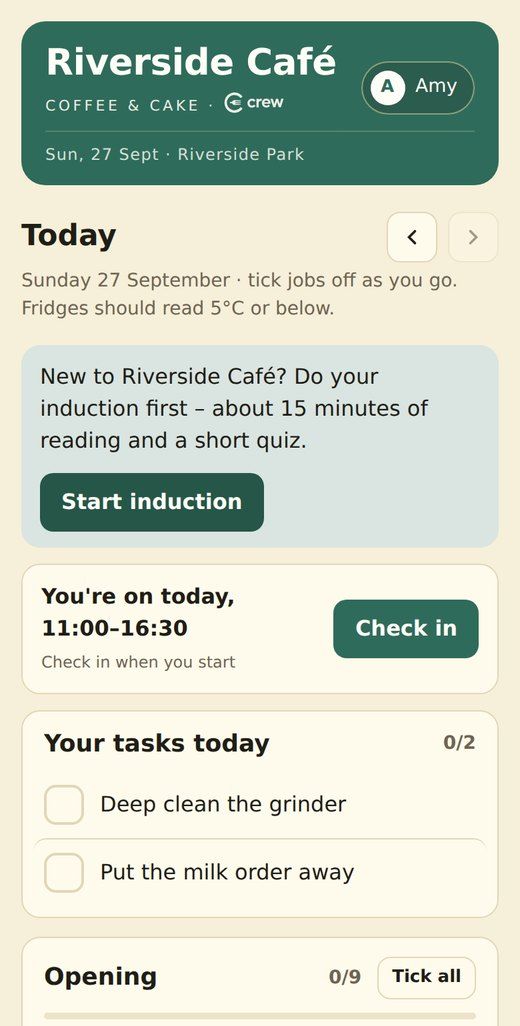
Today screen with check-in, tasks and the opening checklist
Daily checklists

Opening, during the day and close down, ticked off on a phone

Every tick saves who did it and when. How-to videos sit alongside the tricky jobs, like cleaning the grinder.

  • Your own jobs, in your own words
  • Look back at any day
  • The end-of-day sign-off builds your food safety diary for you
Fridge and freezer temperature checks
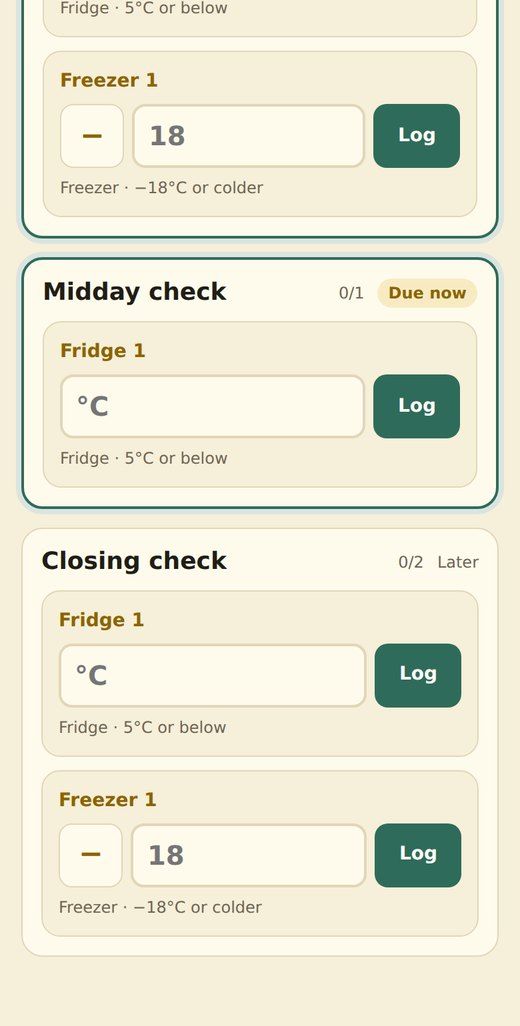
Fridge & freezer temps

Every unit logged, every time

Each check shows as done, due now or missed. A reading that's too warm turns red and tells staff exactly what to do.

  • Fridges, freezers, hot holding and cooling
  • Last seven days at a glance
  • Problems go straight into the problems log
Allergen checker
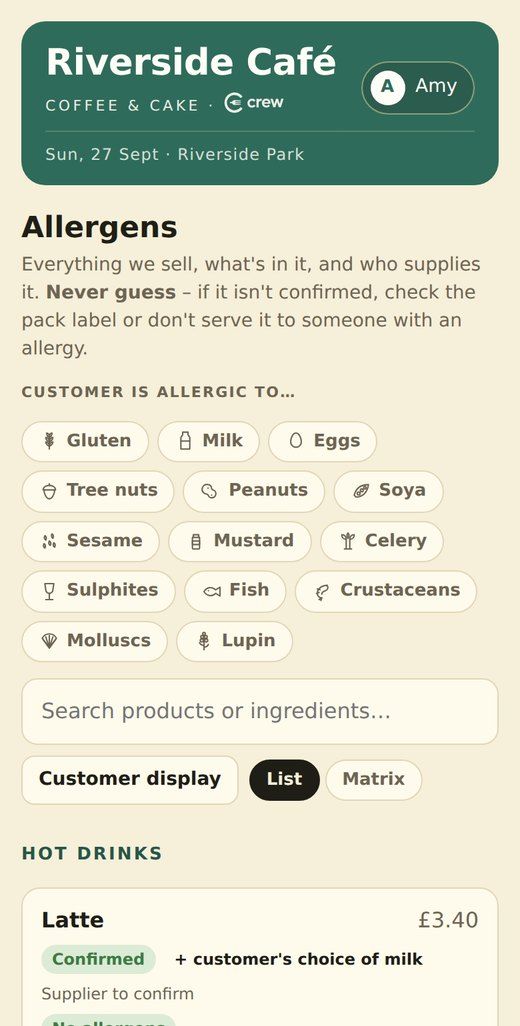
Allergens

Anyone can answer “what's in this?” with confidence

Tap the customer's allergies and every product is marked as fine, may contain or contains. There's a simple screen to turn round and show the customer, too.

  • All 14 allergens for every product
  • Ingredients and supplier for each item
  • Products stay marked “not confirmed” until you've checked the label
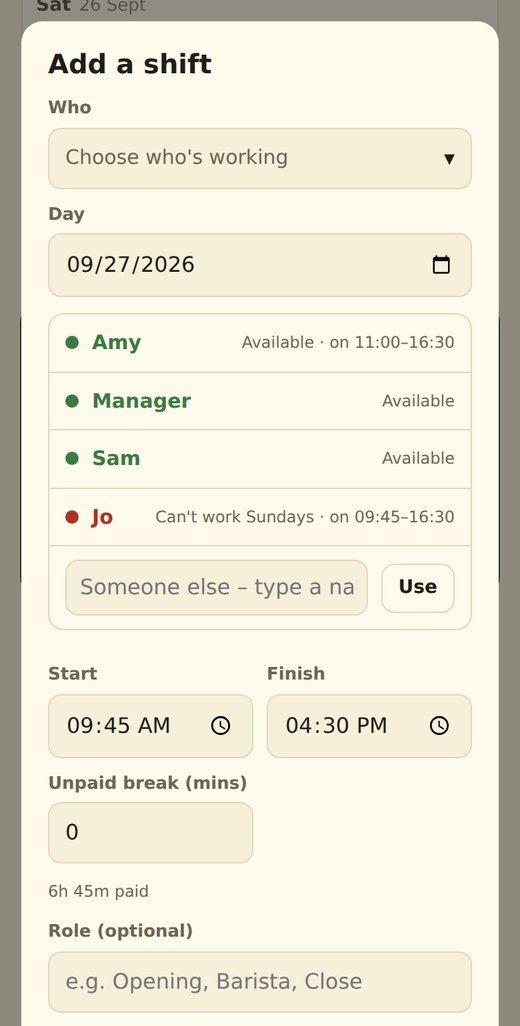
Adding a shift, with available staff in green
Rota, check-in & pay

The rota, hours and pay in one place

When you pick who's working, names show green if they're free and red if they've booked the day off. Staff check in and out on their phone, and hours and pay add themselves up.

  • Shifts with tasks attached
  • Staff book days off and set regular availability
  • Hourly rates, pay totals and a “paid” tick, which only you can see
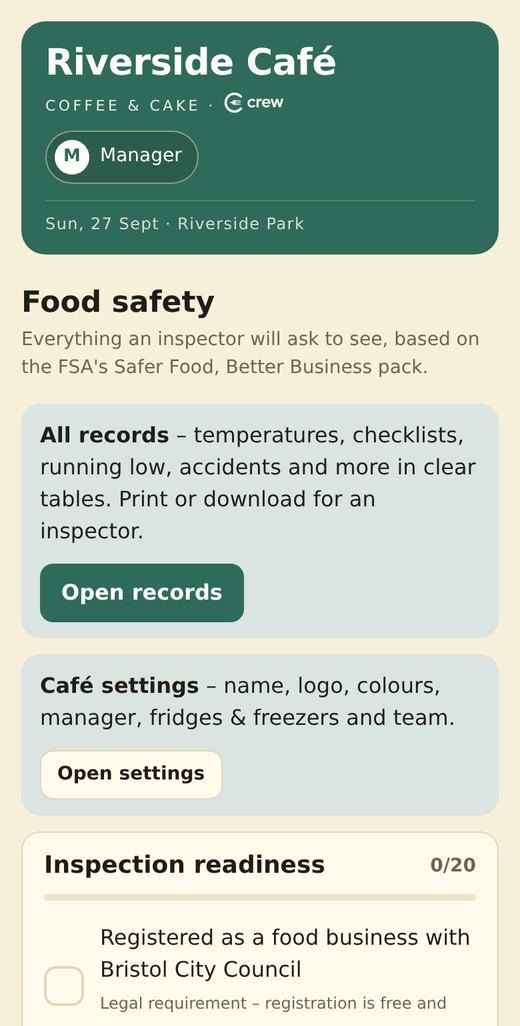
Food safety and inspection records
Inspection-ready records

When the inspector visits, it's all there

Temperatures, checklists, problems, accidents and training records, laid out in clear tables to print or download. It's based on the FSA's Safer Food, Better Business pack.

  • An inspection-readiness checklist
  • A 4-weekly review
  • An automatic copy to your own Google Sheet

Stock & reordering

Count your stock, take off the day's till sales, add deliveries, and see what needs ordering, grouped by supplier.

Induction & training

New starters read the essentials, take a short quiz and sign. You can see who's trained and when their refresher is due.

Staff handbook

Recipes, the till, refunds, cleaning and food safety, always up to date and searchable on every phone.

Repairs

Staff report broken kit with a photo in seconds. It stays on the list until someone marks it fixed.

Noticeboard

Handovers and heads-ups with likes and comments, so you know they've been read.

Nothing to install

It opens in the phone's browser and sits on the home screen, one tap away. It works on iPhone and Android.

For kitchens and food producers

Make your own food? Add Crew Kitchen.

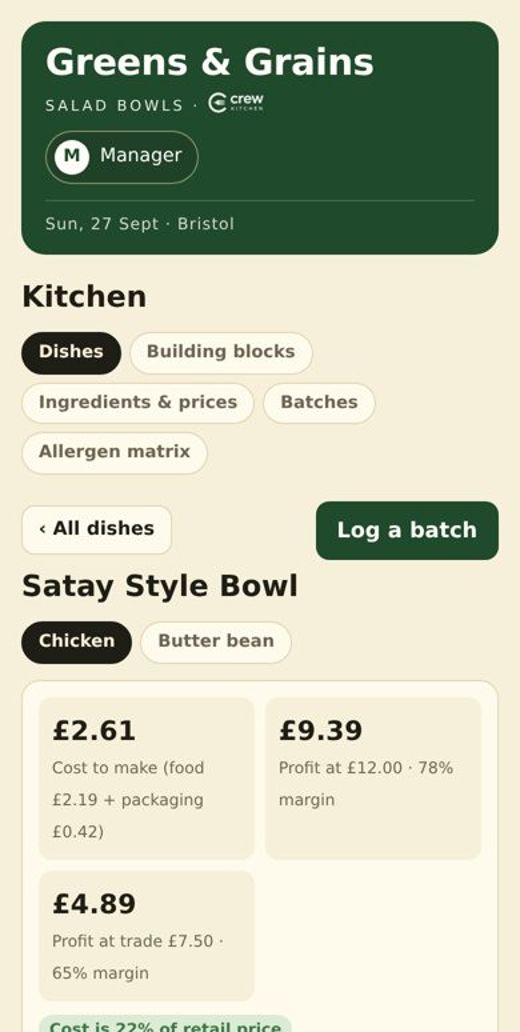
Everything in Crew, plus recipes that cost themselves. Put in what you pay for ingredients, and every dish shows what it costs to make, your margin and its allergens. Change a price and everything updates.

Costs & margins

Cost per portion, plus profit at retail and trade prices, against your target.

Swap and see

Try a different ingredient and see the new cost before you commit.

Labels

Ingredients listed heaviest first with allergens in bold, ready for Natasha's Law. Print them straight from Crew.

Batches & traceability

Every batch gets a code, a use-by date and the name of whoever made it.

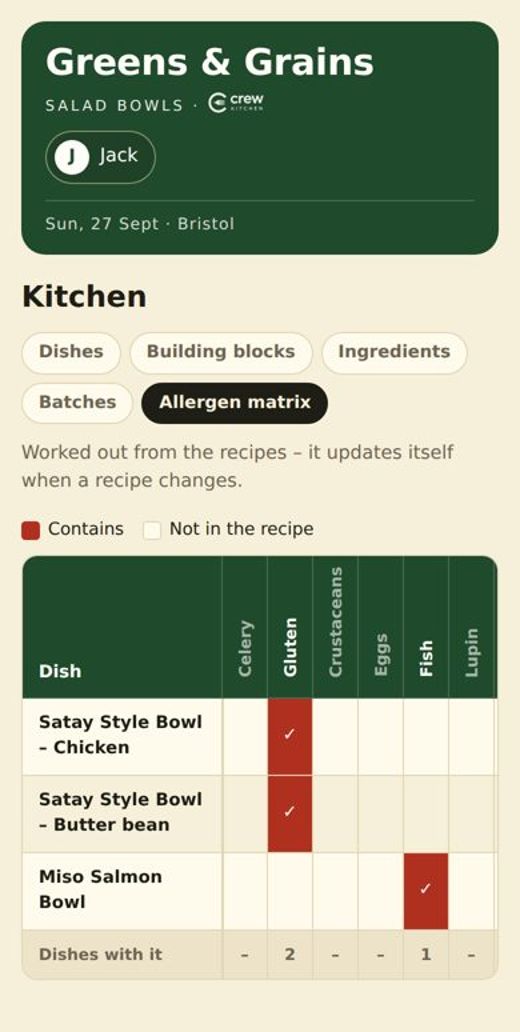
Allergen matrix

Every dish against all 14 allergens on one grid, updated from your recipes.

Cooking & cooling checks

Core temperatures, hot holding and 90-minute cooling, logged by the team.

“Paper checklists, forgotten temperature logs and a handbook nobody read weren't working for us. Now the whole team runs the day from their phones.”

James Tattersall · runs Embers, the café at Westbury Wildlife Park, Bristol
Built in a real café

Made by a café owner, not a software company

Crew started in my own café. Every feature is there because we needed it on a busy Saturday, from ticking off the grinder clean to answering an allergy question at the till.

When you join, you deal with me directly. I set it up for you, answer your questions, and your feedback shapes what gets built next.

How it works

Up and running in about a week

Get in touch

Call, WhatsApp or send the form below to claim your place.

Fill in a short form

About 15 minutes on your jobs, fridges, menu and team. I build the rest.

Go live

Your staff sign in on their phones and start ticking. You get guides for staff and managers.

Pricing

Founding prices for the first five cafés

One simple monthly price per café, with unlimited staff. Your founding price stays the same for as long as you stay.

Crew

For cafés and coffee shops

£19/ month£29
Founding price
  • Checklists and temperature logs
  • Allergens for every product
  • Rota, check-in, hours and pay
  • Stock and reordering
  • Handbook, induction and training records
  • Inspection-ready records
Claim a place

Crew Kitchen

For kitchens and food producers

£35/ month£49
Founding price
  • Everything in Crew, plus:
  • Recipe costing and margins
  • Allergens and labels from your recipes
  • Batch codes and use-by dates
  • Allergen matrix
  • Cooking and cooling checks
Claim a place
Setup is freeUsually £99. I build your checklists, fridges, allergens, handbook and staff list.
First month freeYou only pay once you know it's working for you.
No contractMonthly rolling. Cancel any time and take your data with you.

The founding offer is open until 31 October 2026, or until the five places are gone. Prices are per café. In return, I ask for honest feedback and a 15-minute chat at the end of your first month.

Questions

Good to know

Do my staff need to download anything?

No. Crew opens in the phone's web browser, and staff can add it to their home screen so it opens with one tap. It works on iPhone and Android, and on a tablet behind the counter.

How do staff sign in?

Everyone uses one café PIN, then taps their name. You get a separate manager PIN, which unlocks the rota, pay, stock, settings and records. Staff never see pay rates or other people's hours.

Will it help with a food hygiene inspection?

That's what it was built for. It's based on the FSA's Safer Food, Better Business pack. Your daily diary, temperature logs, problems log, training records and 4-weekly reviews are kept for you and can be printed or downloaded for the inspector.

Can it be set up for how we do things?

Yes. Your checklists, fridges, products, allergens, handbook pages and team are all your own. Once it's live you can change most things yourself from the manager settings, or ask me to do it.

Who owns the data?

You do. You can download everything at any time, and records can also copy to your own Google Sheet every hour. If you leave, you take it with you.

What if I only want some of it?

Turn off anything you don't use, such as stock or the rota, and it disappears from everyone's screen. The price stays the same.

I have more than one site.

Each site gets its own Crew, with its own PINs, checklists and records. Get in touch and we'll work out a price.

What's the difference between Crew and Crew Kitchen?

Crew is for running the day in a café. Crew Kitchen adds recipes, costing, margins, labels and batch tracking, for anyone who makes their own food, whether that's a kitchen, a bakery or a wholesale producer. You can try the Crew Kitchen demo.

Get in touch

Let's see if Crew fits your café

Drop me a message with any questions, or to claim one of the five founding places. No hard sell.

Send an enquiry

Add a phone number or an email so I can get back to you. I'll only use your details to reply.